Security considerations
A few things worth keeping in mind when using MCP servers and connecting an AI client to your Cyberday data.
Be selective about what you connect
Only use well-known, established MCP clients and only enable the servers you actually need for a given session. Both matter: a malicious client could misuse your authentication, and if multiple MCP servers are active at once, a compromised server could potentially instruct the AI to query other connected servers and relay that data back. Fewer active connections means a smaller surface area.
Be aware of prompt injection
External content fed into an AI session (documents, emails, support tickets, data from other systems) could theoretically contain hidden instructions designed to manipulate the AI's behaviour. This is a general risk with any AI client that has tool access. Be mindful of what you include in sessions where MCP servers are active.
Review write actions before confirming
When asking the AI to create or update records, take a moment to check what it plans to do before confirming. AI assistants are genuinely useful for this kind of work, but they can misinterpret instructions, particularly for complex or ambiguous requests.
Verify details when authenticating
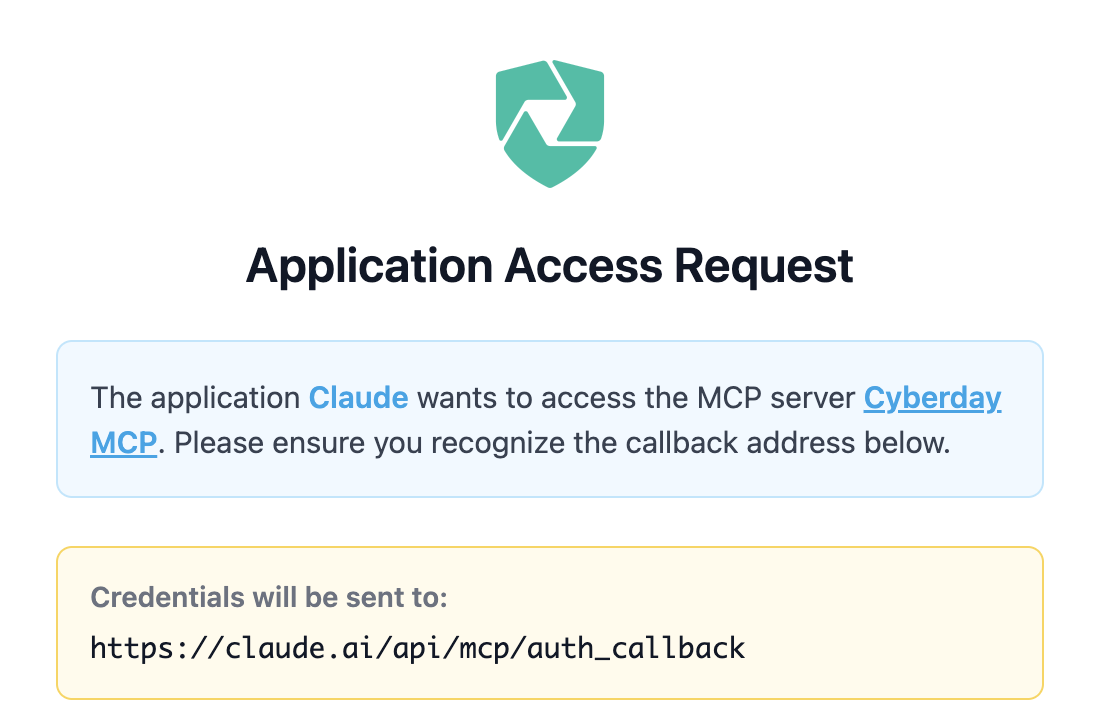
Cyberday will never send any emails or messages containing links related to the MCP server authentication. This flow is only initiated when you trigger it yourself from your chosen MCP client. When verifying the OAuth connection, confirm that the client name and destination URL your credentials will be sent to are correct.